As an Amazon Associate I earn from qualifying purchases. Some links on this page are affiliate links — if you buy through them, we may earn a commission at no extra cost to you.Disclosure
Short answer: among the stands we list, only the havit HV-F2056 has fans: three 110 mm fans over 1,100 rpm, 65 CFM, USB powered, for 15.6–17 in laptops. It sits low and keeps the keyboard usable. The other stands rely on an open frame or vents, and their makers make airflow claims, not temperature claims.
Spec
havit HV-F2056
BESIGN LS03
Rain Design mStand
MOFT Invisible Stand (Large)
Ventilation / fans
3 x 110 mm, about 1,100 rpm, 65 CFM, USB powered, extra USB port
open design (maker)
tilted design, aluminum acts as heat sink (maker)
ventilation cutouts (maker)
Lift / height
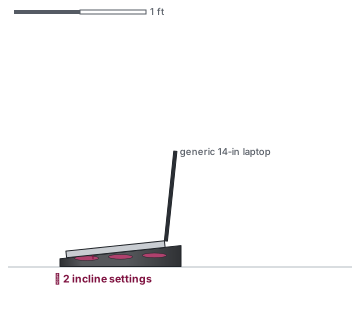
2 incline settings (maker); lift not published
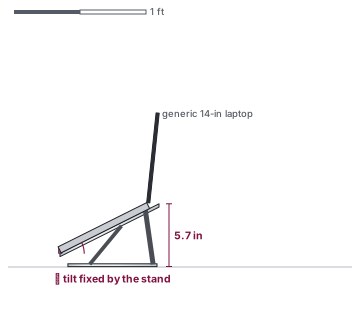
5.7 in (raise height (retailer listing))
5.9 in (stand height (maker))
angles only: 15° and 25° (maker)
Supported laptops
15.6–17 in
10–15.6 in
all MacBooks; most notebooks; 16-in MacBook Pro sits securely (maker FAQ)
15 in+ laptops (Large)
Tier
Budget
Budget
Mid-range
Budget
No maker here publishes temperature results, so we can't say how many degrees any of them saves. What each one claims is laid out in do laptop stands help with cooling?. If what you want is a higher screen rather than a cooler laptop, read laptop stand vs cooling pad. Larger gaming laptops are covered on the 17-inch page. For a raised open frame, the BESIGN LS03 is shown below as the airflow-only alternative; its maker calls it an open design for airflow. Check the fit for your size in the compatibility checker.